Free for Windows 11 and 10 · works offline

The all-in-one file converter for Windows

HEIC to JPG, video to MP4 or MP3, Word to PDF, photos under 100 KB: images, video, audio, documents, PDFs and archives, a whole folder at once. Completely offline, with no watermark and no limits. Your files never leave your PC.

Free · No ads · No account · About 170 MB

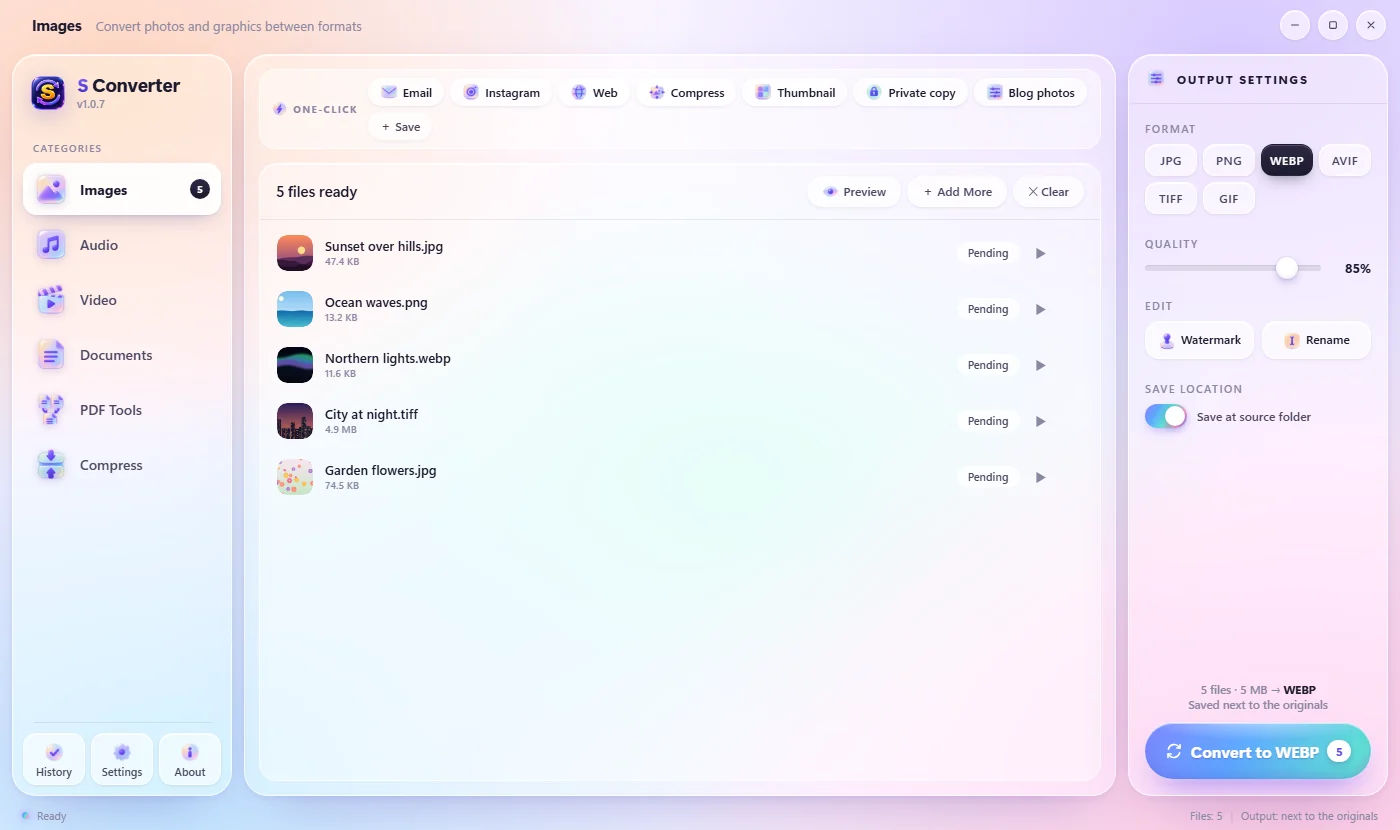
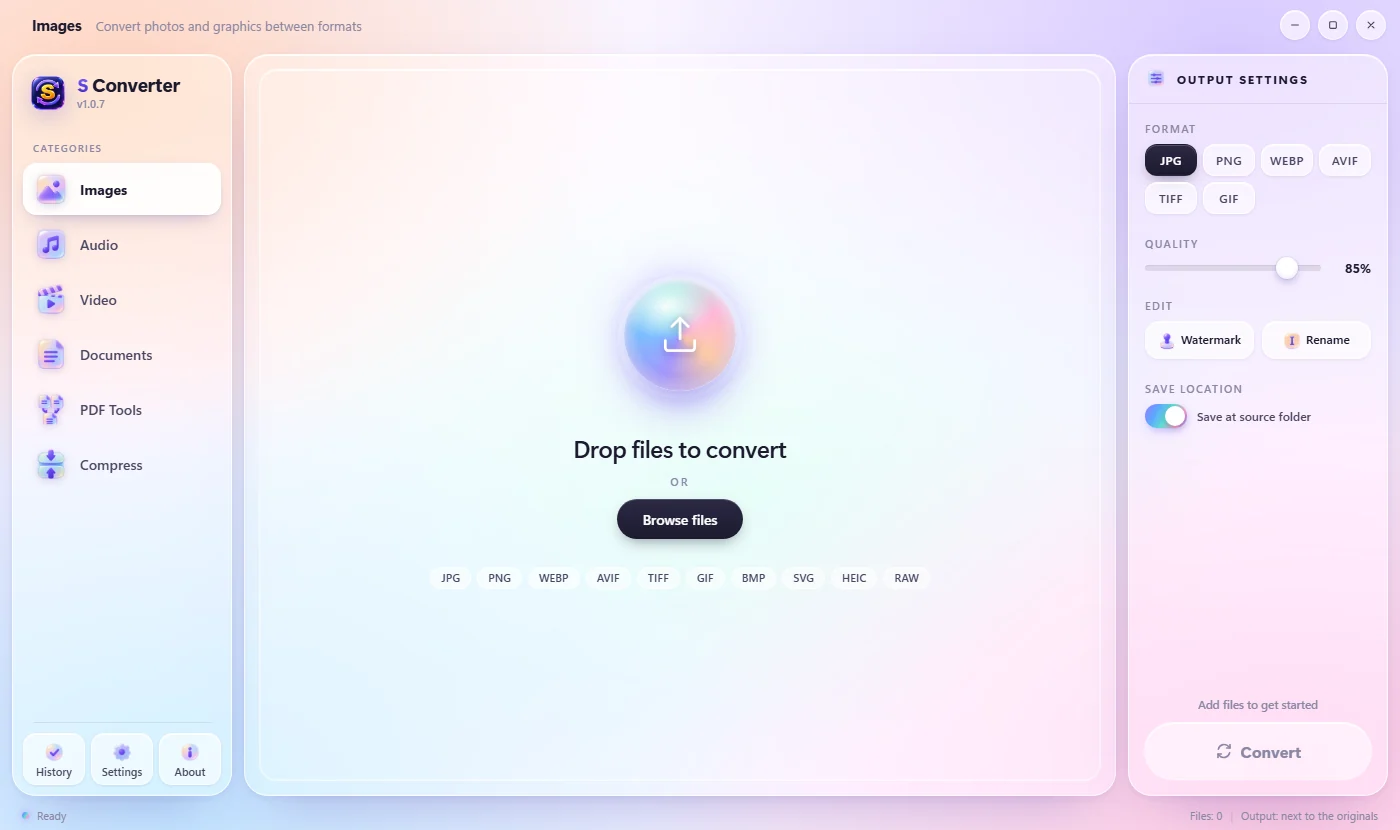
The S Converter window, ready to convert images

Private

Everything happens on your PC. Nothing is uploaded, and it works without internet.

Fast

Converts hundreds of files at once and uses your graphics card for video.

All in one

Images, video, audio, documents, PDFs and archives. No extra software to install.

Free

No ads, no watermark on your files, no account and no limits.

Features

Everything you'd use an online converter for, without the upload

Convert anything, in batches

Drop in one file or a whole folder, pick the format, press Convert. One-click presets such as Email, Instagram, Web and Thumbnail handle everyday jobs, and you see exactly how much space you saved.

  • iPhone HEIC to JPG, WebP to PNG, camera RAW and more
  • Resize, compress and change quality for every file at once
  • Save your own one-click presets, or recipes that convert, rename and pack into one ZIP or PDF
  • Rename the whole batch as it converts: Holiday-001, 002…
  • Originals are never overwritten
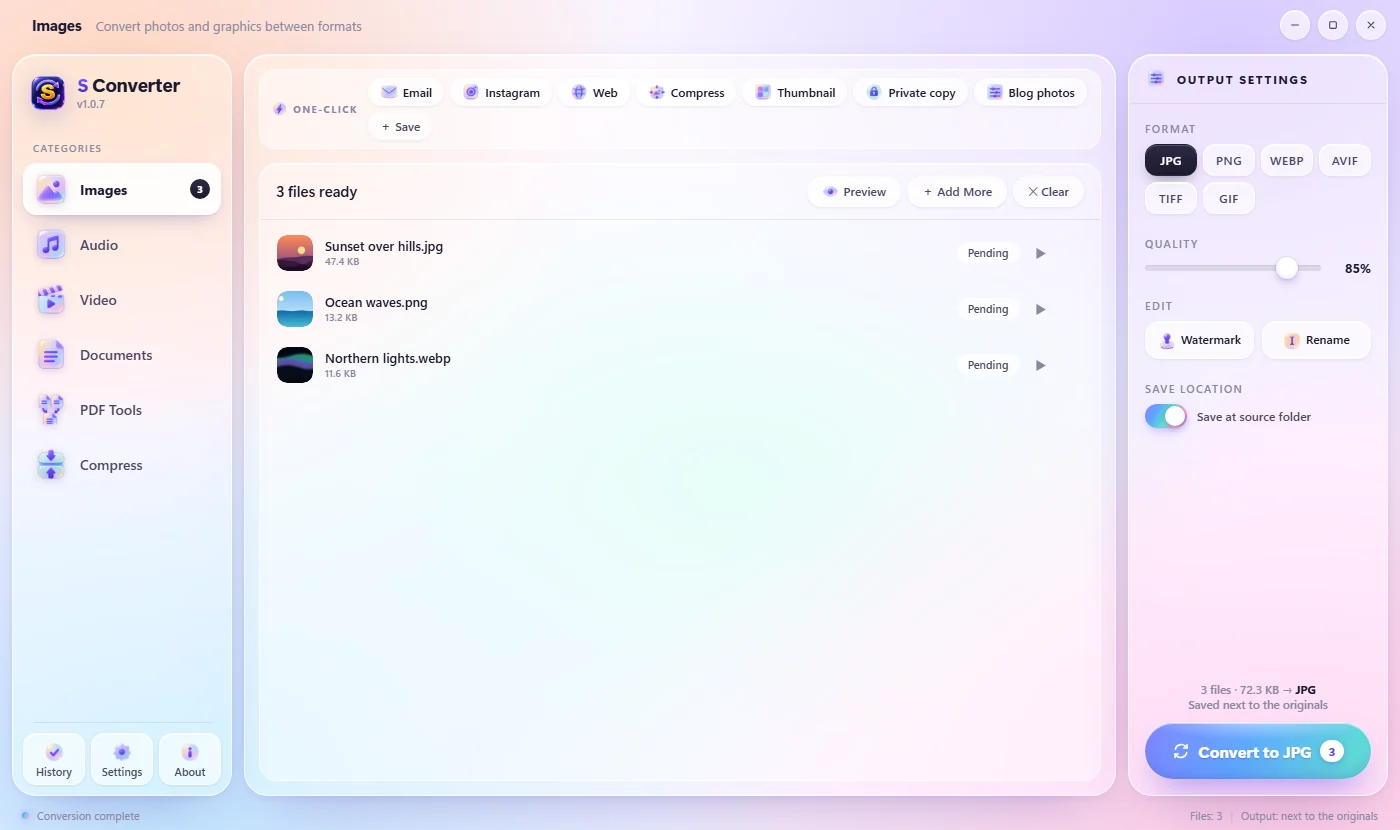
A batch of photos ready to convert in S Converter

Make it fit: size limits and form photos

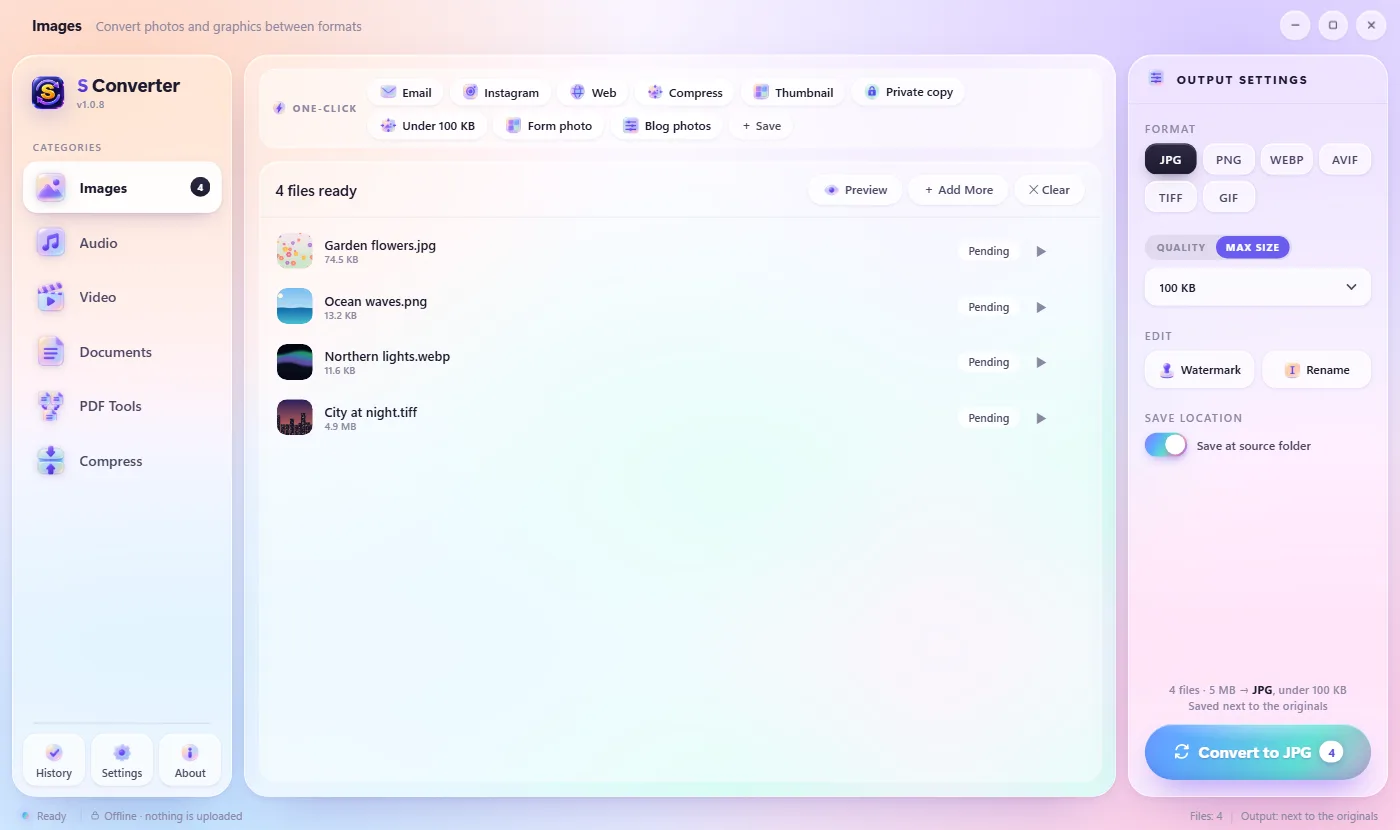
Upload forms say under 100 KB, email stops at 20 MB. Switch Quality to Max size, pick the limit, and S Converter finds the best quality that fits. Form photo crops a picture to the exact size a visa, passport or exam form asks for.

S Converter with Max size set to 100 KB: four photos ready to convert to JPG under 100 KB

Quick Convert, right from File Explorer

Select files in File Explorer, on the desktop or in any Open or Save dialog, and press Ctrl + Alt + C, or right-click and choose Quick Convert. A wheel opens at your mouse: point at a format and click. The app doesn't even need to open.

  • Presets like WhatsApp, Make GIF, Get Audio and Locked ZIP
  • Several photos to one PDF, with pages you can put in order, or one PDF each
  • Paste as…: nothing selected? It converts the image on the clipboard and copies the result back
  • Learns your favourites: the formats you use most move to the front
  • Works on folders too: pack them into ZIP, 7Z or RAR
  • Pick your own keys, like F8, plus shortcuts for your presets and Repeat last

Video, with your graphics card

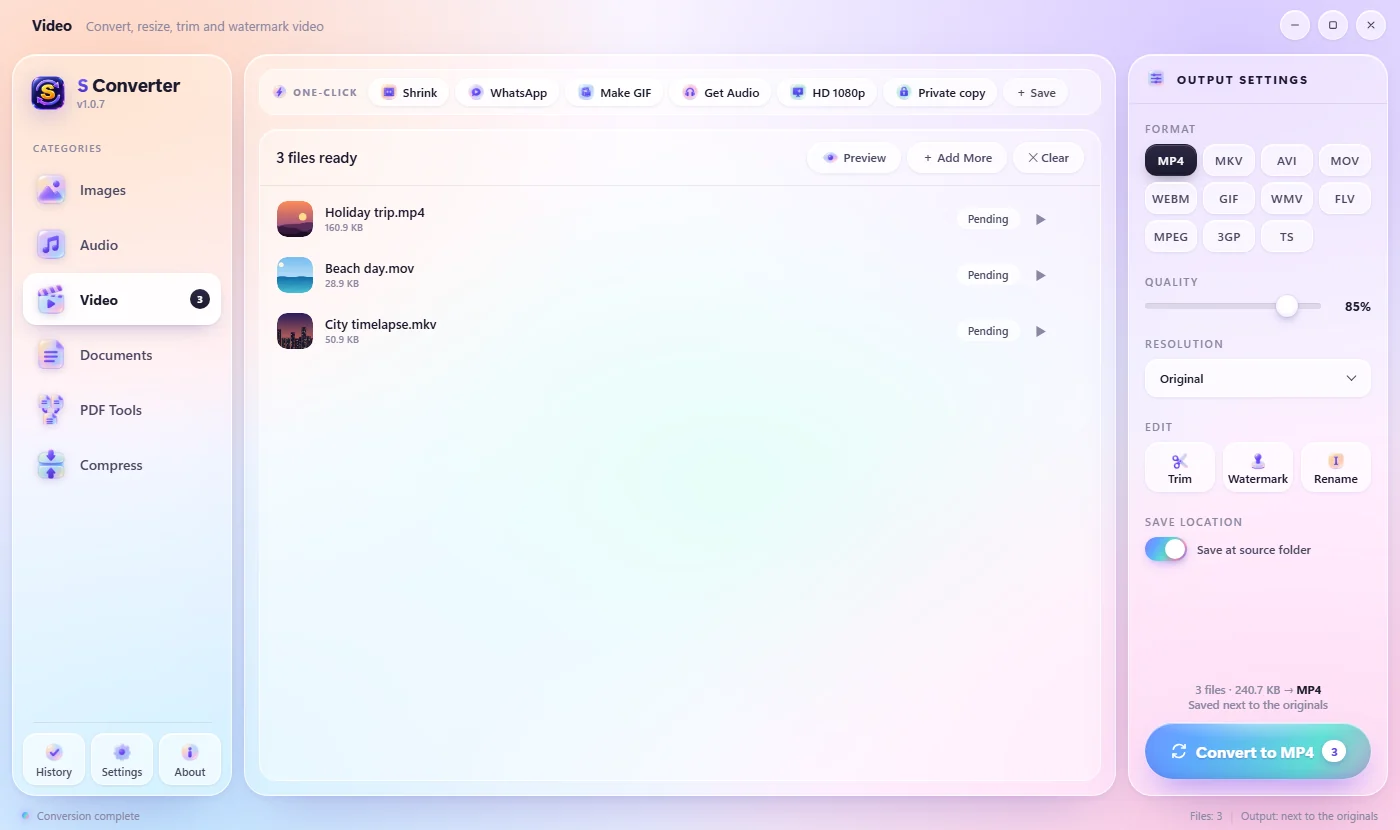
Convert between MP4, MKV, MOV, WebM, AVI and more, make GIFs, pull out the audio, change the resolution and trim clips on a visual timeline. S Converter detects NVIDIA, Intel and AMD graphics and uses them automatically for much faster encoding.

Converting videos with GPU acceleration

Documents, no Office needed

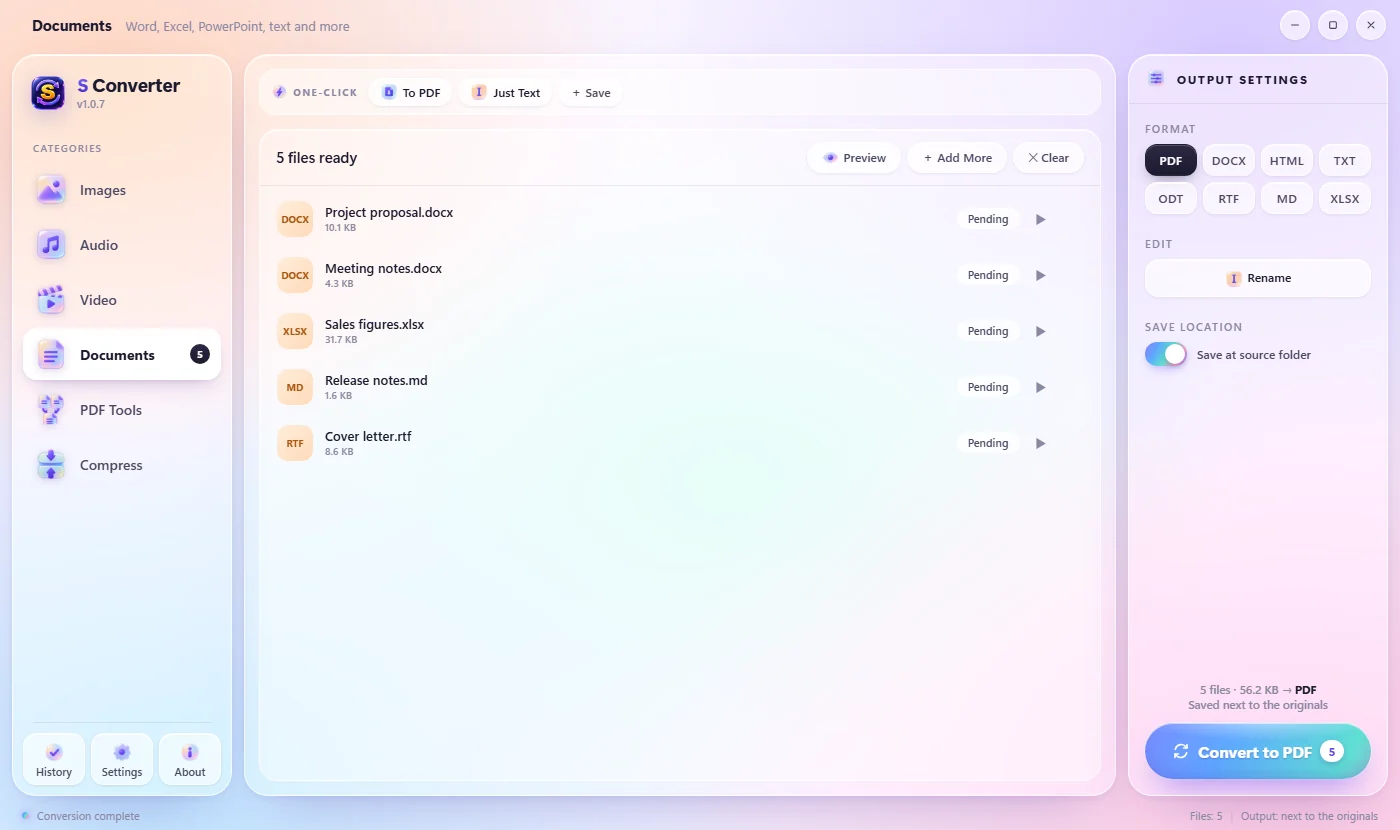
Word, PowerPoint, Excel, OpenDocument, RTF, Markdown, HTML and EPUB, converted by S Converter's own engine. No Microsoft Office or LibreOffice required.

  • Word to PDF keeps headings, lists, tables, pictures and links
  • PowerPoint to PDF keeps each slide's layout and colours
  • Tables in a document can become an Excel spreadsheet
Converting Word and PowerPoint files to PDF

PDF tools, done privately

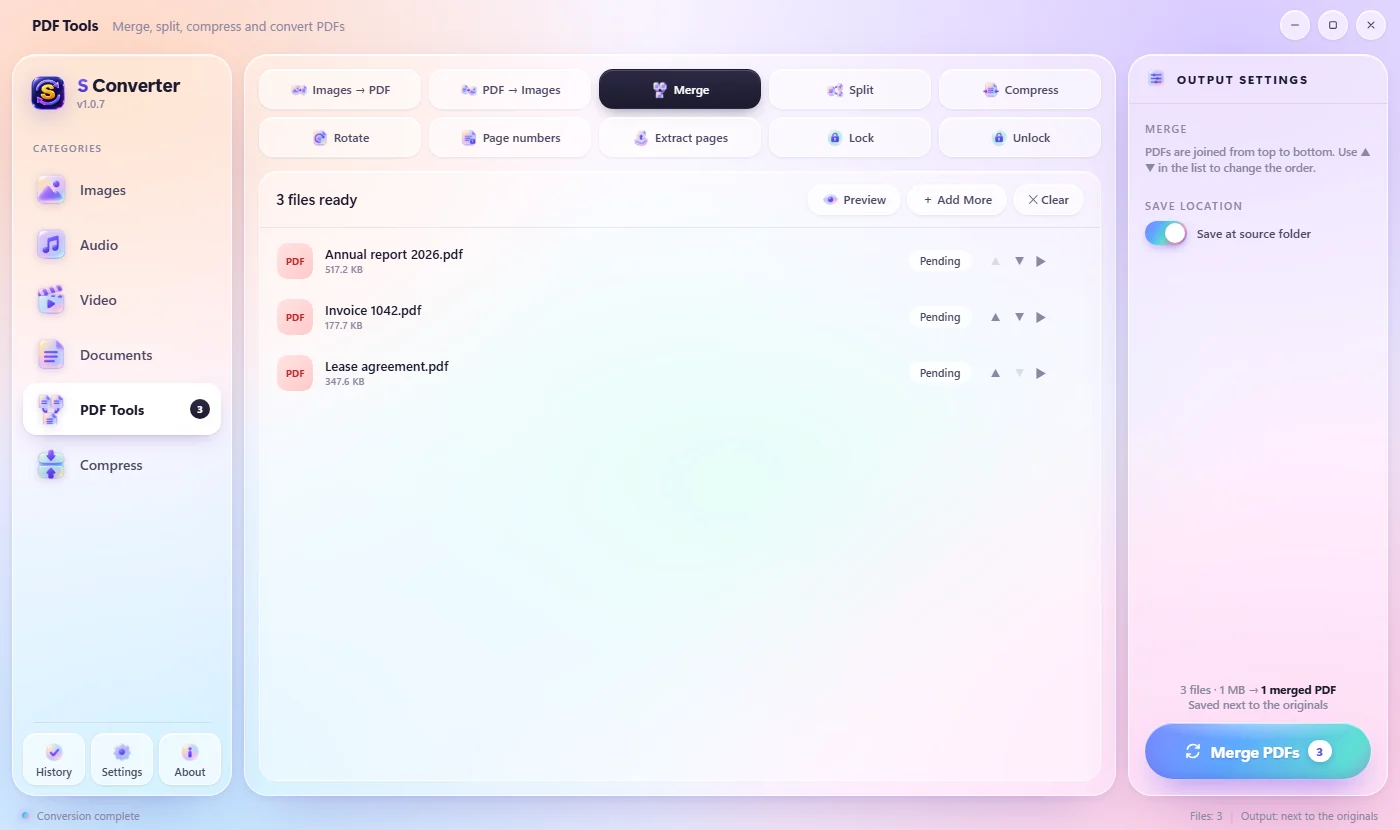
The things you usually need a PDF website for, on your own PC. Even locking a PDF with a password:

  • Images → PDF
  • PDF → Images
  • Merge
  • Split
  • Compress
  • Rotate
  • Page numbers
  • Extract pages
  • Lock with a password
  • Unlock
PDF tools: merge, split, compress and more

Watermarks for photos and videos

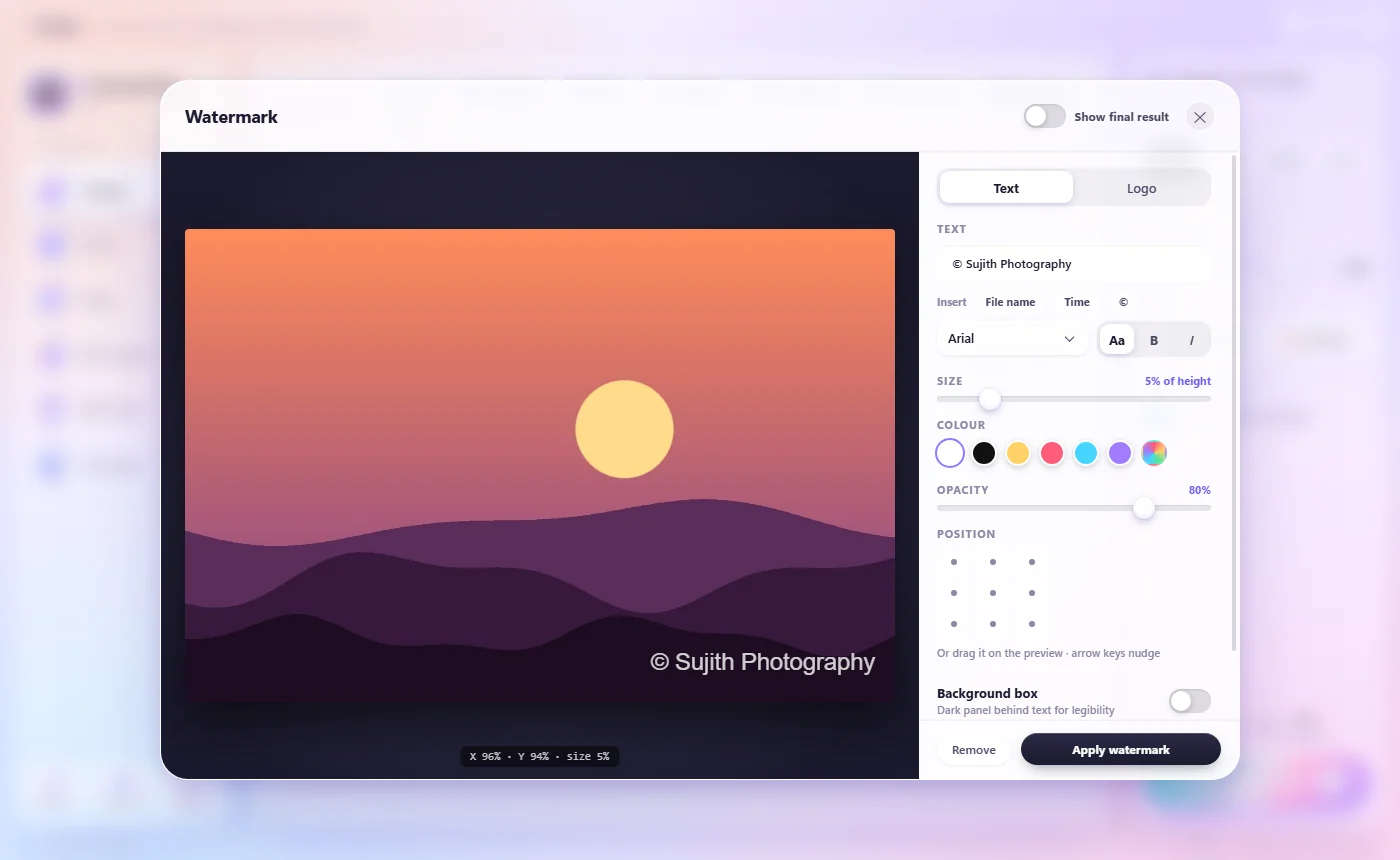
Add your name or logo, drag it into place on a live preview, set size, colour and opacity, repeat it so it's harder to crop out, or let it scroll across a video. One design, applied to the whole batch.

The watermark designer with a live preview

Archives and passwords

  • Pack folders into ZIP, 7Z, RAR or TAR.GZ
  • Protect them with a password: ZIP uses AES-256 encryption
  • Extract ZIP, 7Z, RAR, TAR, ISO and CAB, including password-protected ones
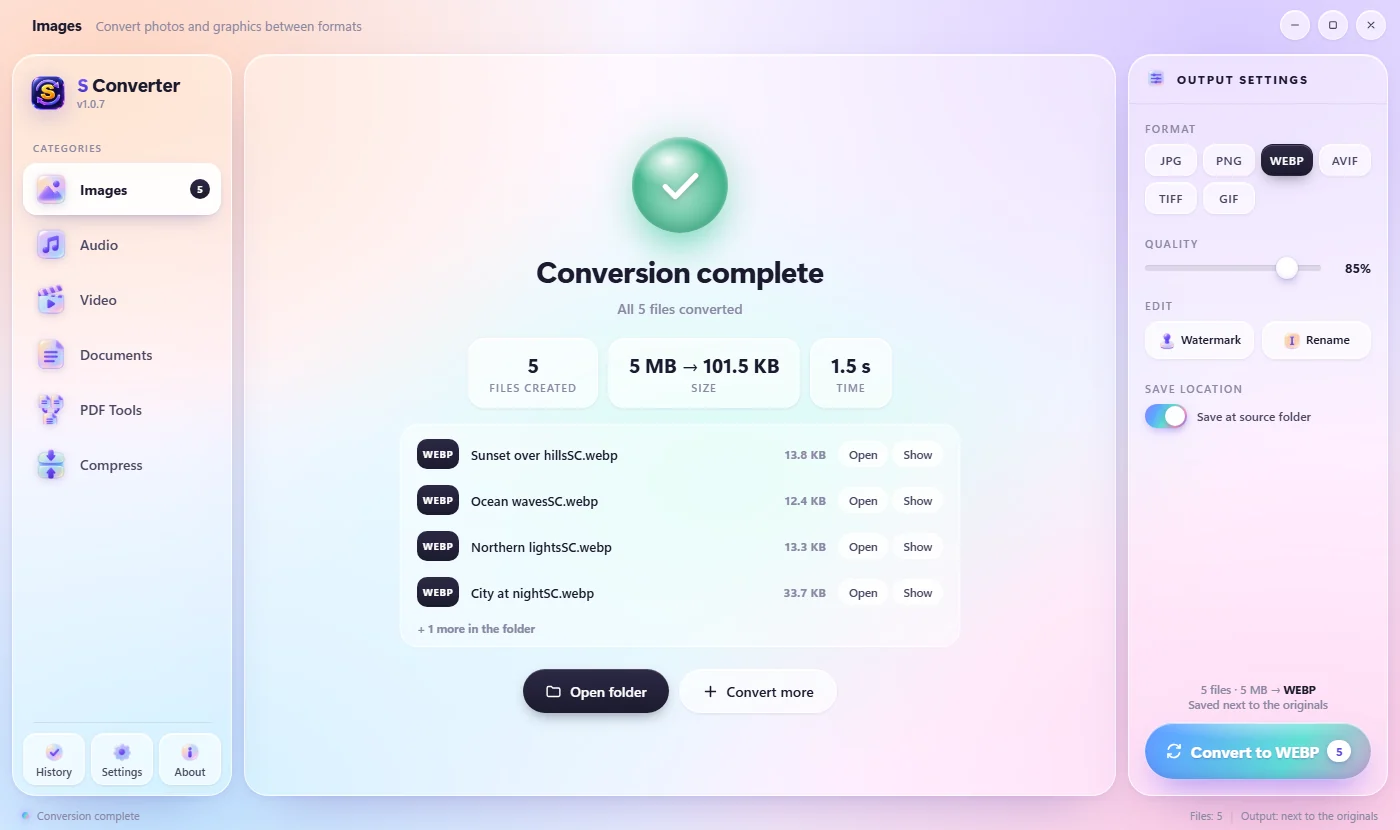
Conversion finished, showing the space saved

Private copies, without the hidden details

Phone photos carry where they were taken, the camera and the time. One click on Private copy saves a copy without them, ready to share. Full quality, and videos aren’t re-encoded.

  • Removes GPS location, camera details and dates
  • Photos and videos, in batches
  • Unlike EXIF-remover websites, nothing is uploaded

How to remove location from photos →

S Converter's one-click row with Private copy and a saved preset called Blog photos

Watch folders do the work for you

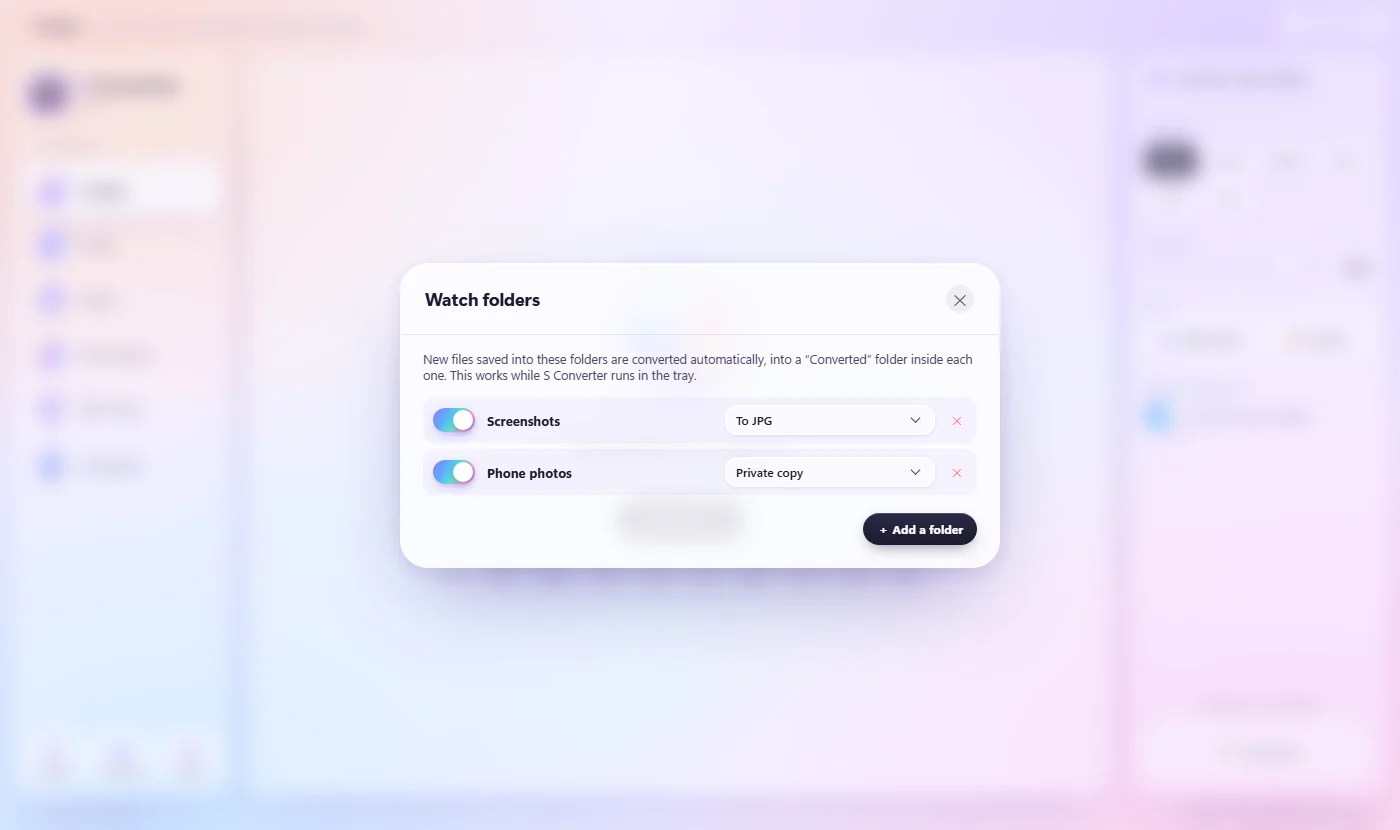
Choose a folder, like Screenshots, Downloads or your scanner’s folder, and what to do with it. Every new file is converted as it arrives, into a Converted folder inside. A History lists everything you’ve converted, with buttons to open the results.

  • Screenshots to JPG, scans to PDF, photos to private copies
  • Works quietly from the system tray
  • History stays on your PC: the last 300 jobs

Set up a watch folder →

Watch folders: Screenshots converts to JPG and Phone photos makes private copies

Speaks your language

S Converter is available in 20 languages and starts in your Windows language by itself. Switch any time in Settings.

  • English
  • සිංහල
  • Español
  • Deutsch
  • Français
  • Italiano
  • Português
  • Nederlands
  • Polski
  • Türkçe
  • Bahasa Indonesia
  • Tiếng Việt
  • Русский
  • Українська
  • हिन्दी
  • ไทย
  • 简体中文
  • 繁體中文
  • 日本語
  • 한국어
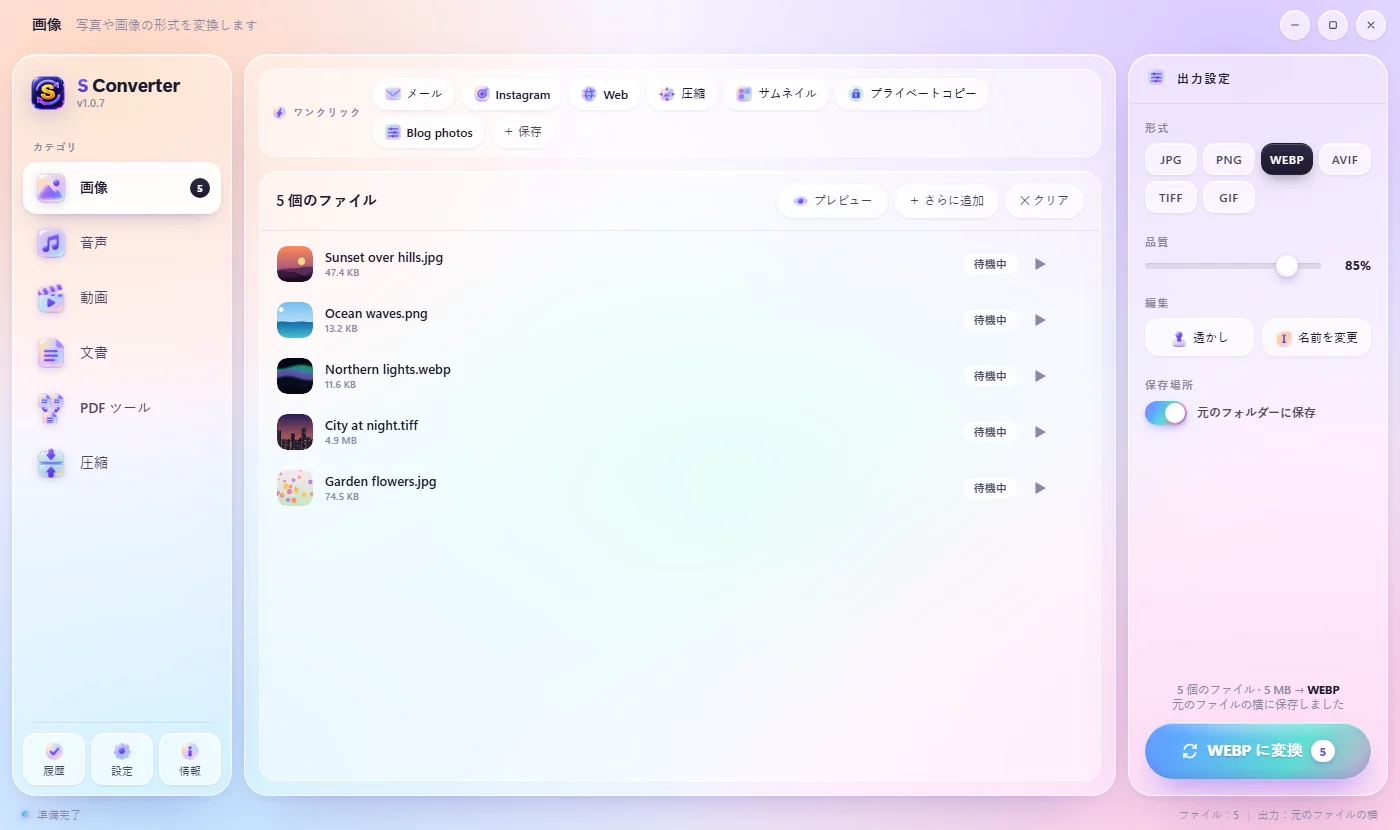
S Converter in Japanese, with photos ready to convert

Make it yours

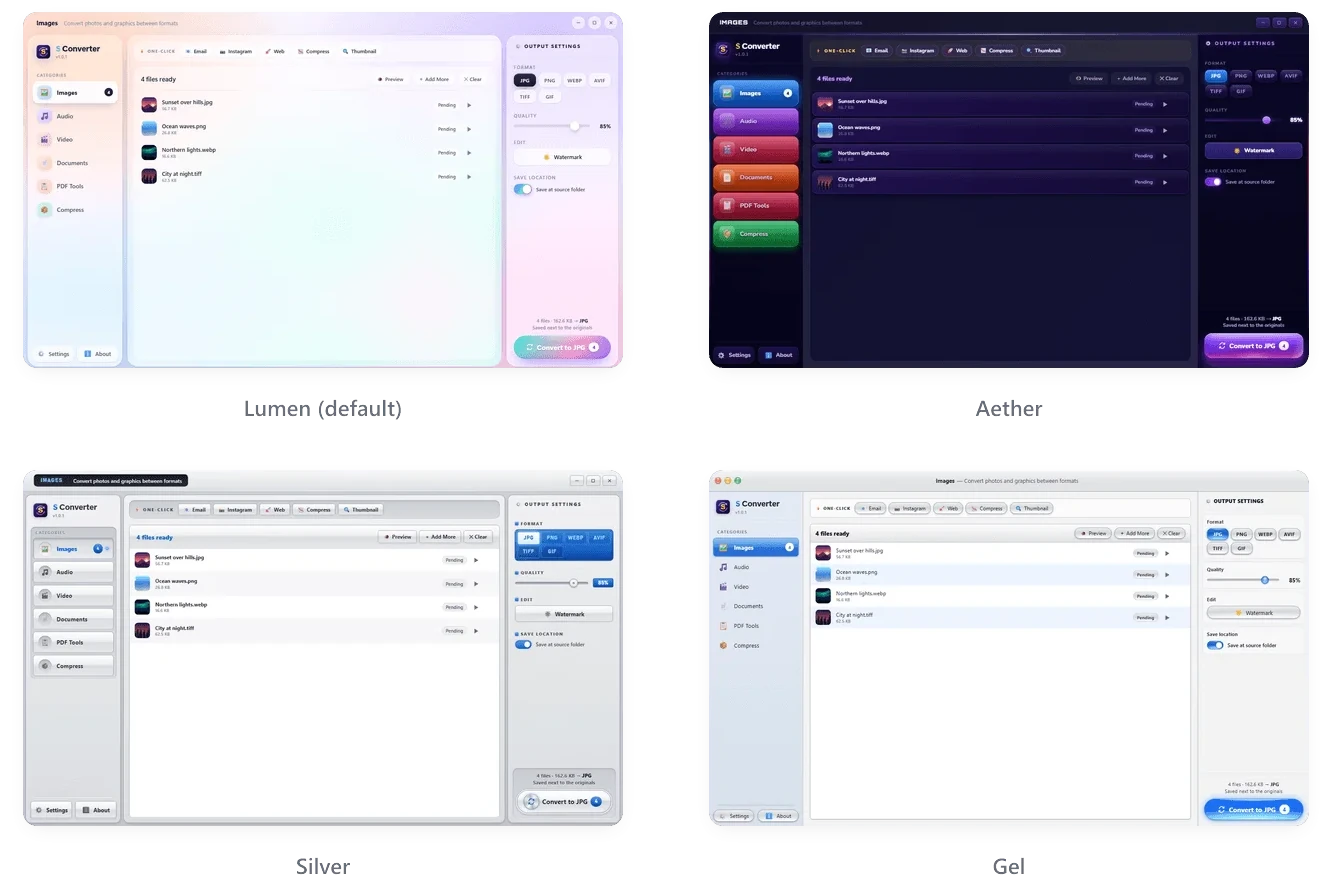
Four themes, from soft glass to classic chrome

The Lumen, Aether, Silver and Gel themes

Supported formats

Over 60 formats in, more than 40 out

CategoryConverts fromConverts to
ImagesJPG, PNG, WebP, AVIF, TIFF, GIF, BMP, SVG, HEIC/HEIF, camera RAW (CR2, NEF, ARW, DNG, RAF, ORF, RW2)JPG, PNG, WebP, AVIF, TIFF, GIF, PDF
VideoMP4, MKV, AVI, MOV, WMV, FLV, WebM, MPEG, M4V, 3GP, TS, VOB, MTS/M2TS, OGVMP4, MKV, AVI, MOV, WebM, GIF, WMV, FLV, MPEG, 3GP, TS
AudioMP3, WAV, FLAC, AAC, OGG, WMA, M4A, AIFF, Opus, AMR, AC3, and the sound from any videoMP3, WAV, FLAC, AAC, OGG, M4A, Opus, AIFF, WMA, AC3, AMR
DocumentsDOCX, DOC, ODT, RTF, TXT, Markdown, HTML, EPUB, PPTX, PPT, ODP, XLSX, XLS, ODS, CSVPDF, DOCX, ODT, RTF, HTML, TXT, Markdown, XLSX
ArchivesZIP, 7Z, RAR, TAR, TGZ, GZ, BZ2, XZ, ISO, CABFolder, ZIP, 7Z, RAR*, TAR.GZ

* Creating RAR files needs WinRAR installed. Password-protected 7Z needs 7-Zip.

Install

Up and running in a minute

  1. 1

    Download

    Get the installer with the button below. It's about 170 MB.

  2. 2

    Run it

    If Windows says "Windows protected your PC", click More info, then Run anyway. Or get it from the Microsoft Store, which installs it with no warning at all.

  3. 3

    Convert

    Open S Converter from the Start menu and drop in some files. No administrator rights needed.

  4. 4

    Stay current

    Updates download and install by themselves when you're not using the app. Nothing to click.

Windows 10 (1809 or newer) or Windows 11, 64-bit · All versions and release notes

Tutorials

Learn S Converter, step by step

Getting started with S Converter

S Converter converts images, video, audio, documents and PDFs on your own PC.

Quick Convert: convert files without opening the app

The fastest way to convert on Windows: select files where they already are, press a shortcut, click a format.

Convert files from the right-click menu

If you prefer the mouse, S Converter adds itself to File Explorer’s right-click menu.

One-click presets: Email, Instagram, WhatsApp and more

Most of the time you don’t want “a format”, you want “small enough to email” or “right for Instagram”.

Make a video small enough for WhatsApp or email

Phone videos are huge, and WhatsApp, email and upload forms all have limits.

Add a watermark to photos and videos

Protect your photos and videos before you share them.

Trim a video or audio file

Keep just the good part.

Zip a folder with a password, and extract archives

Windows can zip a folder, but it can’t lock it with a password.

Split, rotate, number and extract PDF pages

S Converter’s PDF Tools do the everyday PDF jobs without Acrobat and without uploading your documents anywhere.

Settings: themes, GPU speed, output folder and updates

S Converter works well out of the box, but a few settings let you make it faster and make it yours.

Save your own presets

If you keep choosing the same format, quality and size, save them once as your own preset.

Remove location and camera details from photos and videos

Photos from a phone usually carry hidden details: where they were taken, the camera, and the date and time.

Rename a batch of files as you convert

Phone photos come with names like IMG_20260814_174512.

Lock a PDF with a password, or unlock one

Sending a contract, a payslip or a medical letter? Lock the PDF with a password first.

Watch folders: convert new files automatically

Some jobs repeat every day: screenshots to JPG, scans to PDF, phone photos without their location.

Use S Converter in your language

S Converter is available in 20 languages, and it starts in your Windows language automatically.

Make files fit a size limit

Upload forms, email and chat apps all have limits.

Recipes: convert, rename and pack in one click

A recipe is a preset that does more than one thing.

Paste as…: convert the clipboard image

Copied an image or took a screenshot? Press the Quick Convert shortcut with nothing selected: the wheel opens for the clipboard image, and the converted picture goes back on the clipboard.

FAQ

Questions, answered

Is S Converter really free?

Yes. No ads, no trial, no account, no limits, and no watermark added to your files.

Are my files uploaded anywhere?

No. Every conversion runs on your own computer, and S Converter works without an internet connection. The only thing it ever downloads is its own updates. See the privacy policy.

Can it convert Word or PowerPoint to PDF without Microsoft Office?

Yes. S Converter has its own document engine, so DOCX, DOC, ODT, RTF, PPTX, XLSX, EPUB, Markdown and HTML all convert to PDF with nothing else installed.

Can it convert iPhone HEIC photos to JPG?

Yes, in batches. HEIC/HEIF and camera RAW files convert to JPG, PNG, WebP, AVIF, TIFF or PDF.

Why does Windows say "Windows protected your PC"?

Windows shows this for new programs that aren't signed with a paid code-signing certificate. Click More info → Run anyway. You only need to do it once: updates install by themselves after that. If you'd rather avoid the warning, get S Converter from the Microsoft Store instead.

Can it remove the location from my photos?

Yes. Private copy saves a copy of a photo or video without its GPS location, camera details and date, at full quality. See how to remove location from photos.

Can it compress a photo to under 100 KB?

Yes. Switch Quality to Max size and pick 100 KB, or any limit; S Converter finds the best quality that fits. Form photo makes visa, passport and exam photos at an exact size. See compress an image to 100 KB and make a US visa photo.

Is there a manual?

Yes: the S Converter documentation explains every feature, step by step. It's also on GitHub.

Can it put a password on a PDF?

Yes. In PDF Tools, Lock adds a password with AES-256 encryption, and Unlock removes a password you know. See how to lock a PDF.

Which languages is it available in?

20: English, Sinhala, German, Spanish, French, Italian, Dutch, Polish, Portuguese (Brazil), Turkish, Indonesian, Vietnamese, Russian, Ukrainian, Hindi, Thai, Chinese (Simplified and Traditional), Japanese and Korean. It follows your Windows language automatically; see how to change it.

Where do the converted files go?

By default, next to the originals, with "SC" added to the name so nothing is ever overwritten. You can choose a different folder.

The Quick Convert shortcut doesn't work.

Another program may already be using Ctrl + Alt + C. Pick a different one in Settings → Quick Convert shortcut. S Converter stays in the system tray so the shortcut keeps working after you close its window.

How do I uninstall it?

Windows Settings → Apps → Installed apps → S Converter → Uninstall. The right-click menu entries are removed too.

Enjoying S Converter?

It's made by one developer and it's free. If it saved you some time, a coffee helps keep it going.