Tutorial · free for Windows 10 and 11
Make a video small enough for WhatsApp or email
Phone videos are huge, and WhatsApp, email and upload forms all have limits. S Converter makes them a fraction of the size on your PC, without uploading anything.
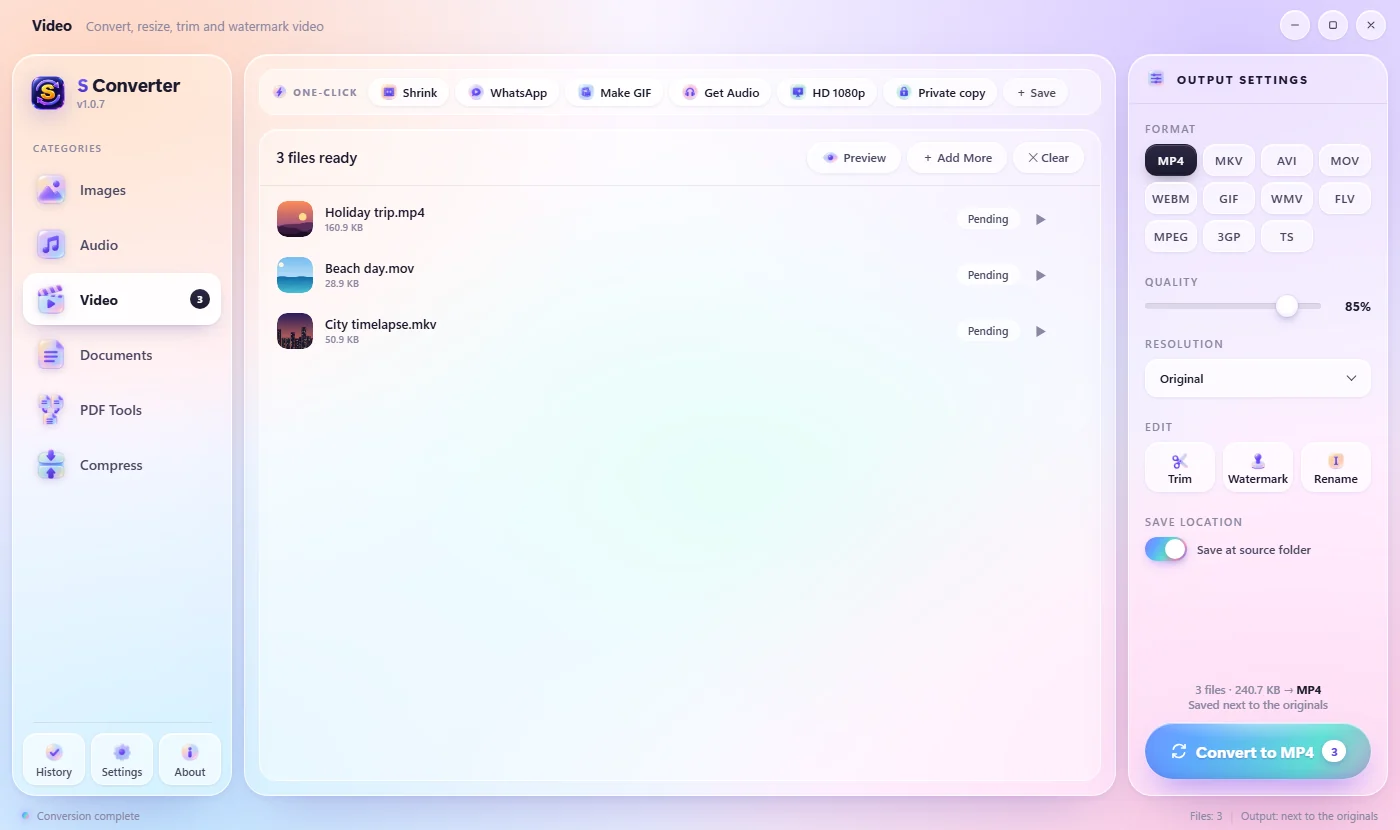
The one-click way
- Open S Converter, choose Video and drag in your videos.
- In the One-click bar, click WhatsApp for the smallest file (480p) or Shrink for a sharper one (720p).
- The smaller MP4 is saved next to the original.
Choose the size yourself
- Under Format, pick MP4.
- Set Resolution to 720p or 480p, and lower Quality for an even smaller file.
- Use Trim under Edit to keep only the part you need. Shorter is always smaller.
- Press Convert to MP4.
Good to know
Fast
S Converter uses your NVIDIA, Intel or AMD graphics card when it can.
Plays everywhere
MP4 works on every phone, browser and app.
Private
Your videos never leave your PC.
Questions
How much smaller will my video get?
It depends on the video, but a 1080p or 4K phone clip often shrinks to a tenth of its size or less at 480p.
Will the sound be kept?
Yes. Only the picture size and quality change.
Can I shrink several videos at once?
Yes. Add them all; the preset converts every file in the list.
Keep learning
Get S Converter
Free, no ads, no account. Images, video, audio, documents, PDFs and archives, all converted on your own PC.