Tutorial · free for Windows 10 and 11
Remove location and camera details from photos and videos
Photos from a phone usually carry hidden details: where they were taken, the camera, and the date and time. S Converter’s Private copy makes a copy without them, so you can share a picture without sharing where you live.
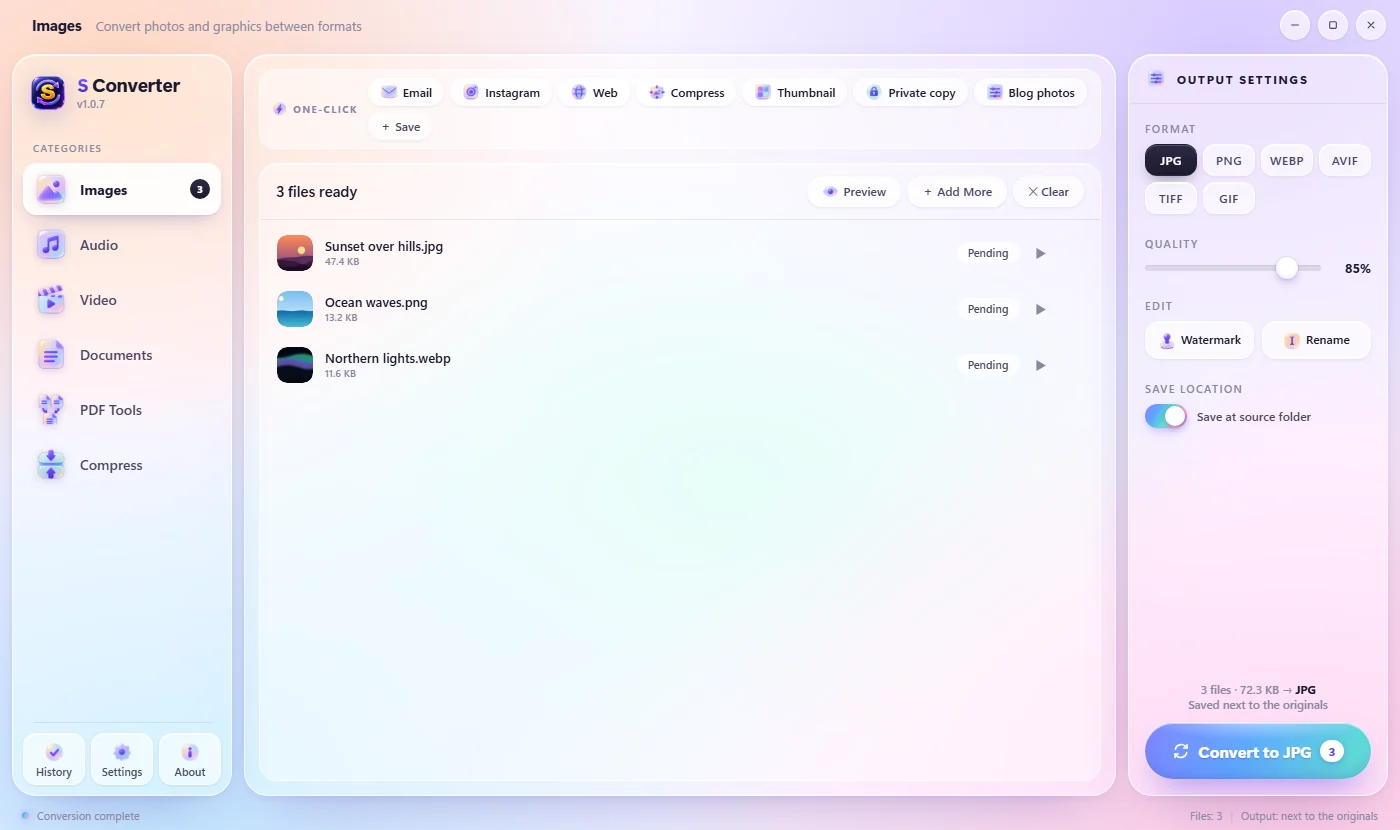
Make a private copy
- Open S Converter and drop in your photos or videos.
- In the One-click row at the top, press Private copy.
- The copies are saved next to the originals with _private added to the name. Share those.
From File Explorer
Select the photos or videos in File Explorer, press Ctrl + Alt + C, press Tab for the Presets page of the wheel, and choose Private copy.
What is removed, and what stays
Removed: GPS location, camera make and model, date and time, and other hidden EXIF, XMP and comment data. Kept: the picture itself at full quality, which way up it goes, and its colours. Videos are copied without their location and date tags and are not re-encoded, so the quality doesn’t change.
Good to know
Full quality
Photos keep their pixels and videos aren’t re-encoded.
Originals untouched
Your own copies keep every detail; only the new copy is cleaned.
Nothing uploaded
Unlike “EXIF remover” websites, your photos never leave your PC.
Questions
Which files does it work on?
JPG, PNG, WebP and other photos, and MP4, MOV, MKV and other videos.
Do WhatsApp or email remove the location anyway?
Some apps do and some don’t, and files sent as documents or uploaded elsewhere often keep it. A private copy removes it before it leaves your PC.
Can I clean every new photo automatically?
Yes. Point a watch folder at it and choose Private copy.
Keep learning
Get S Converter
Free, no ads, no account. Images, video, audio, documents, PDFs and archives, all converted on your own PC.