Tutorial · free for Windows 10 and 11
One-click presets: Email, Instagram, WhatsApp and more
Most of the time you don’t want “a format”, you want “small enough to email” or “right for Instagram”. Presets do exactly that, in one click.
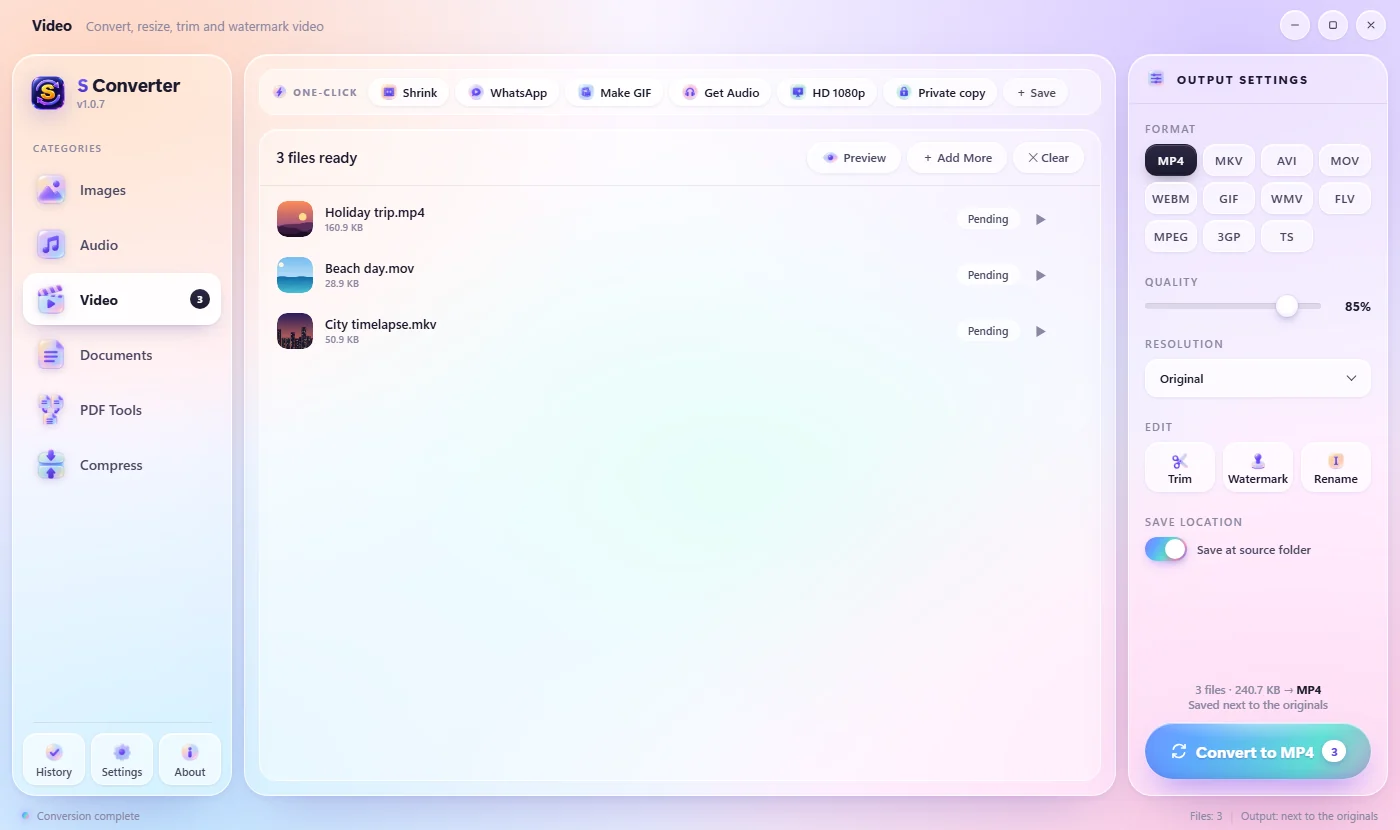
Use a preset
- Add your files to S Converter.
- Look at the One-click bar above the file list.
- Click a preset. It starts straight away on every file in the list.
Every preset
Images: Email (JPG, at most 1600 px), Instagram (fits 1080 × 1350), Web (WebP, at most 2048 px), Compress (same format, smaller), Thumbnail (400 px) and Private copy (no location or camera details, see Private copy). Video: Shrink (720p MP4), WhatsApp (480p MP4), Make GIF, Get Audio (MP3) and HD 1080p. Audio: MP3 320k, Voice Note (small mono MP3), Ringtone (the first 30 seconds) and Lossless (FLAC). Documents: To PDF and Just Text.
Good to know
Also on the wheel
The same presets are on the Presets page of the Quick Convert wheel.
Never bigger
Photos are only ever made smaller to fit, never stretched.
Originals untouched
Each preset makes a new file next to the original.
Questions
Can I make my own preset?
Yes. Set the format and settings you like, then press + Save at the end of the One-click row. See Save your own presets.
Which preset makes the smallest video?
WhatsApp: 480p MP4, which plays on any phone. Shrink keeps 720p for a sharper picture.
Keep learning
Get S Converter
Free, no ads, no account. Images, video, audio, documents, PDFs and archives, all converted on your own PC.